Gaming Profiles • Programmable Gaming Keypad for PC
Built for Gaming Profiles That Feel Fast
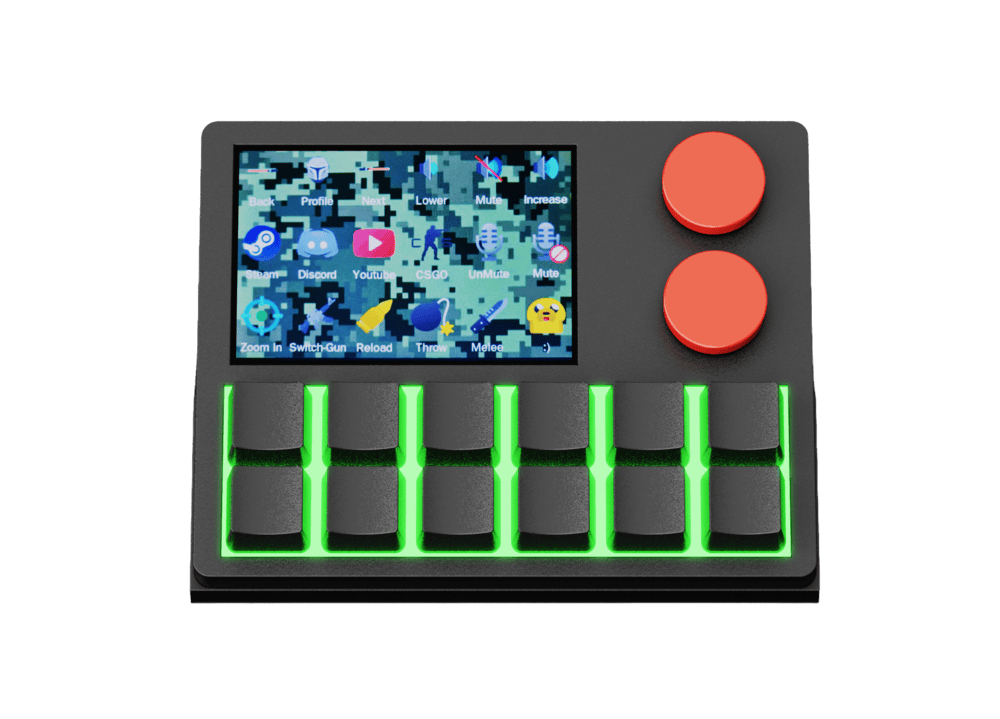
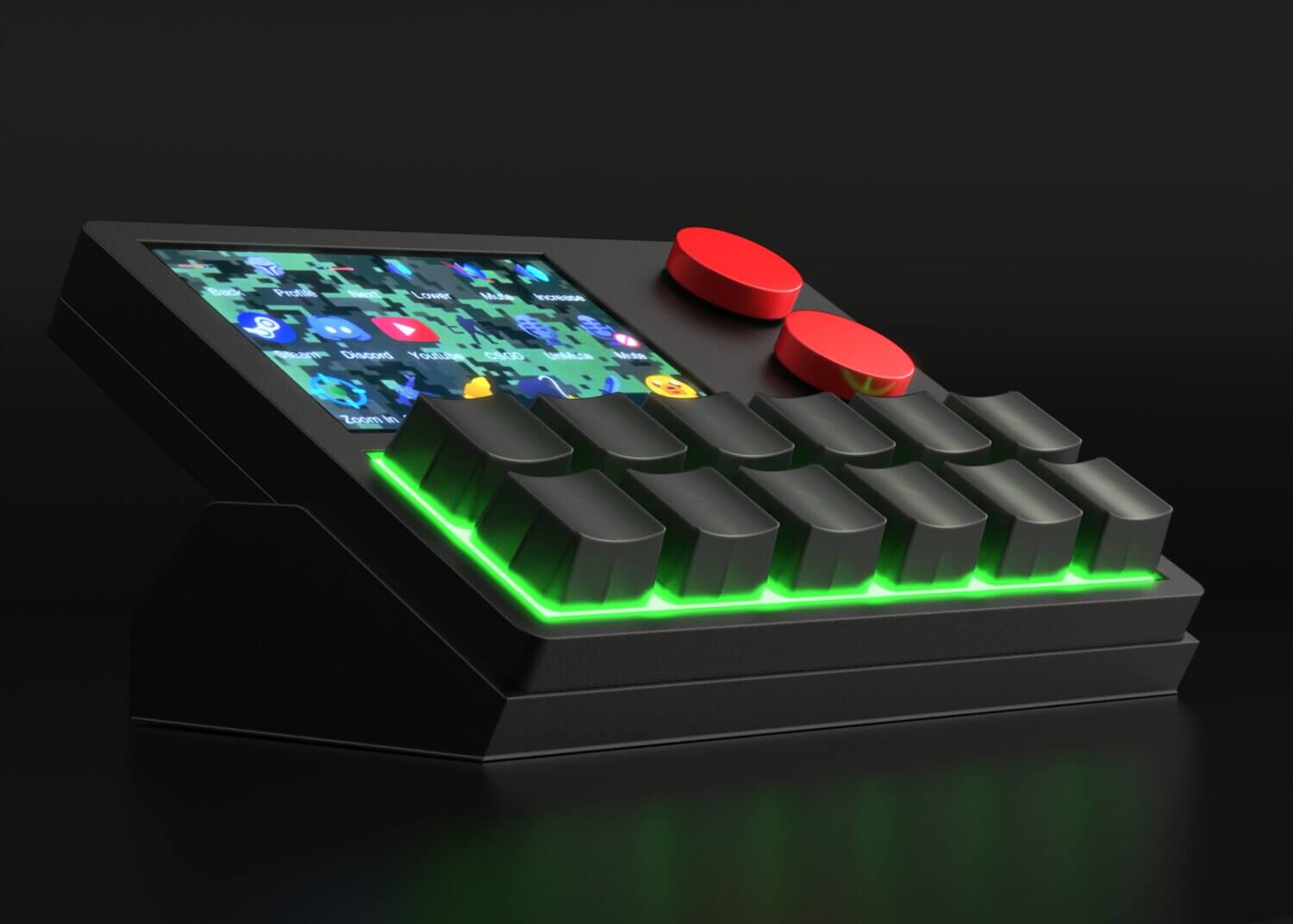
NexMacro is a programmable gaming keypad designed for players who want cleaner control, faster reactions and better access to the actions they use most. Create genre-based layouts, assign keybinds, trigger macros and build a compact mechanical gaming keypad setup that keeps core commands within easy reach.
12 Keys
Compact access for gaming macros, actions and quick inputs.
300 Macros
Switch between different games, genres and play styles fast.
USB Setup
Use NexMacro as a programmable USB keypad for PC gaming.
Gaming Mode
Macro Ready
Game Profile Layout
Build game-specific control sets for faster play and cleaner key access
FPS
Reload
Squad
Push to Talk
Action
Inventory
Utility
Map / Ping
Gaming Keypad Profiles
Build a Macro Profile for Every Game Type
A programmable gaming keypad becomes much more useful when each game type has its own profile. NexMacro lets you build dedicated layouts for FPS, MMO, MOBA, racing, streaming and everyday PC gaming, so the actions you use most are always close, labelled and easy to trigger.
Choose a Gaming Loadout
Different Games Need Different Controls
Instead of forcing every game into one keyboard setup, create separate profiles for the way you actually play. NexMacro works as a compact mechanical gaming keypad for shortcuts, commands, stream controls and in-game keybinds.
Compatible With Your Games
Works Across Your PC Game Library
NexMacro works like a programmable USB keypad, so it can be used with games that accept keyboard inputs, keybinds or shortcuts. Build profiles for popular PC games and keep your most-used actions in one place.
Input Type
Keyboard Binds
Setup
Game Profiles

Roblox
Sandbox / Social
Counter-Strike 2
FPS / Competitive
Valorant
FPS / Tactical
Fortnite
Battle Royale
world of warcraft
MMO / RPG
League of Legends
Items / Pings / Shop
Any Game
Works on all Pc games
More compatible titles
League of Legends
Dota 2
World of Warcraft
GTA V
Final Fantasy XIV
The Sims
Works with keyboard input.
NexMacro is designed for shortcuts and allowed keybinds. Always follow the rules of the game, platform and anti-cheat system you are using.
Why Gaming Profiles Matter
A normal keyboard gives you plenty of keys, but it does not always give you a clean gaming layout. A programmable keypad for PC gives you a dedicated surface for the actions you repeat most, which can make your setup easier to remember and faster to use.
NexMacro is designed to work as a compact programmable USB keypad for gaming and desktop control. You can keep your main keyboard for movement and typing, then use NexMacro for secondary commands, profile switching, communication, stream controls and shortcuts.
Shop NexMacroGood For
Gaming keybinds
Place repeated in-game actions on a smaller control pad.
Voice and streaming
Use push-to-talk, mute, scene switching and clip controls.
Different game profiles
Switch layouts for FPS, MMO, racing, casual games and work.
Gaming Macro Chains
Turn One Key Into a Full Game Action
A programmable gaming keypad is most useful when it saves repeated movement. NexMacro lets you place common keybinds, app shortcuts, game actions and multi-step macros on dedicated keys, so you can keep your main keyboard focused on movement and aiming.
Less keyboard reach
Keep Your Important Actions Close
In fast games, the problem is not only reaction time. It is also key placement. Actions like push-to-talk, inventory, map, reload, clipping software, Discord mute or stream controls can sit in awkward places across a full keyboard.
NexMacro gives those actions their own compact control zone. Build a different layout for FPS, MMO, MOBA, racing, streaming or everyday PC gaming, then label the action clearly on the display so the setup stays easy to remember.
Build clean game profiles
Separate your FPS, MMO, racing, editing and streaming layouts.
Label every action clearly
Use the screen for profile names, key labels and visual reminders.
Trigger multi-step actions
Run shortcuts, app commands and chained actions from a single key.
Macro Setup
Profile Active
1
Press one dedicated key
Use a labelled key for the action you repeat most.
Keybind
2
Run the assigned action
Trigger a shortcut, command, mute, clip, overlay or game input.
Macro
3
Stay in your game flow
Keep your hands closer to movement, aiming and core controls.
Faster
FPS Layouts
Place push-to-talk, clip save, Discord mute, map, reload, ping or inventory actions on nearby keys.
MMO Shortcuts
Group ability rotations, chat commands, mount actions, targeting keys and utility controls into a compact panel.
Streaming Control
Switch scenes, mute a mic, save a clip, toggle overlays or trigger stream actions without leaving the match.
Daily PC Use
Use the same keypad for gaming, editing, browsing, coding and regular desktop shortcuts after you log off.
Programmable Gaming Keypad Guide
A Smarter Gaming Macro Pad for PC Setups
NexMacro gives you a dedicated space for gaming shortcuts, macro actions, profile switching and desktop control, so your main keyboard can stay focused on movement, typing and core gameplay.
Why Use a Gaming Macro Pad?
A programmable gaming keypad helps organise the commands you use often without crowding your main keyboard. Many players already have enough keys on a full keyboard, but the problem is that important actions are spread across awkward positions, hidden behind combinations or shared with everyday typing controls.
NexMacro solves that by giving your most-used actions their own compact control zone. For FPS games, this can mean push-to-talk, map access, ping, clip saving and Discord mute. For MMO, MOBA and racing games, it can mean profile-based shortcuts, utility controls, telemetry functions or repeated actions that are easier to keep in one place.
The large 3.55-inch display also makes the setup clearer. Instead of relying only on memory, you can show profile names, shortcut labels, icons, GIFs or system stats directly on the pad. That makes NexMacro useful not only for gaming, but also for streaming, editing, coding and daily PC shortcuts.
12 programmable keys
3.55-inch display
Profile switching
RGB lighting
Gaming + desktop use
Gaming Keypad FAQ
Common Questions
What is a programmable gaming keypad?
A programmable gaming keypad is a compact device with keys that can be assigned to shortcuts, macros, game actions or software controls. It gives repeated actions a dedicated place outside your main keyboard.
Is a macro pad useful for gaming?
Yes. A macro pad is useful when you use repeated actions such as push-to-talk, clip saving, Discord mute, stream controls, profile switching or utility commands that you want easier access to.
Can NexMacro replace my keyboard?
NexMacro is designed to work beside your keyboard, not replace it. It acts as a dedicated control pad for macros, shortcuts, profiles and secondary commands.
Why does a display matter on a macro keypad?
A display helps show profile names, labels, icons and visual reminders. This makes it easier to understand your layout when different games or apps use different key assignments.
What kinds of games can use a macro pad?
A gaming macro pad can be useful for FPS, MMO, MOBA, racing, simulation, strategy and casual PC games, especially when there are repeated commands you want quicker access to.
Is NexMacro only for gamers?
No. NexMacro can also be used for streaming, editing, coding, productivity, app launching and general PC control. The same device can move between work profiles and gaming profiles.
Build a Cleaner Control Setup
Keep shortcuts, macros, profiles and stream actions in one dedicated place with NexMacro, a programmable gaming keypad built for gaming and everyday PC control.