Shortcut Control
Use NexMacro as a programmable shortcut keypad for everyday commands like copy, paste, undo, screenshots, app launchers, browser actions, meeting controls, and repeated work tasks.
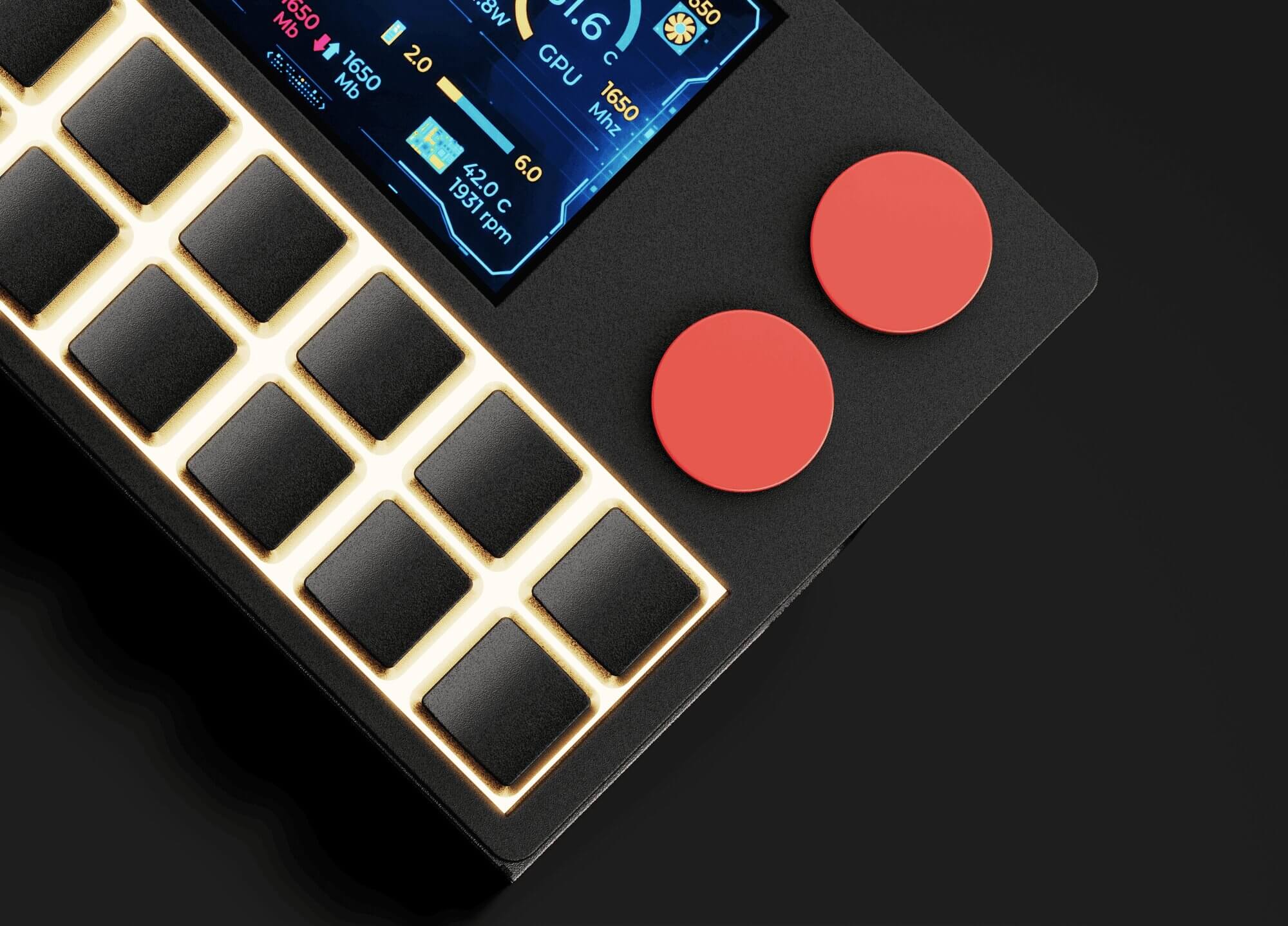
NexMacro is a programmable keypad for PC and Mac built for people who want faster access to their everyday actions. Use it as a programmable macro keypad, shortcut keypad, gaming keypad, USB control pad, or creative workflow controller with 12 mechanical keys, dual rotary knobs, RGB lighting, custom profiles, and a large 3.55-inch display.
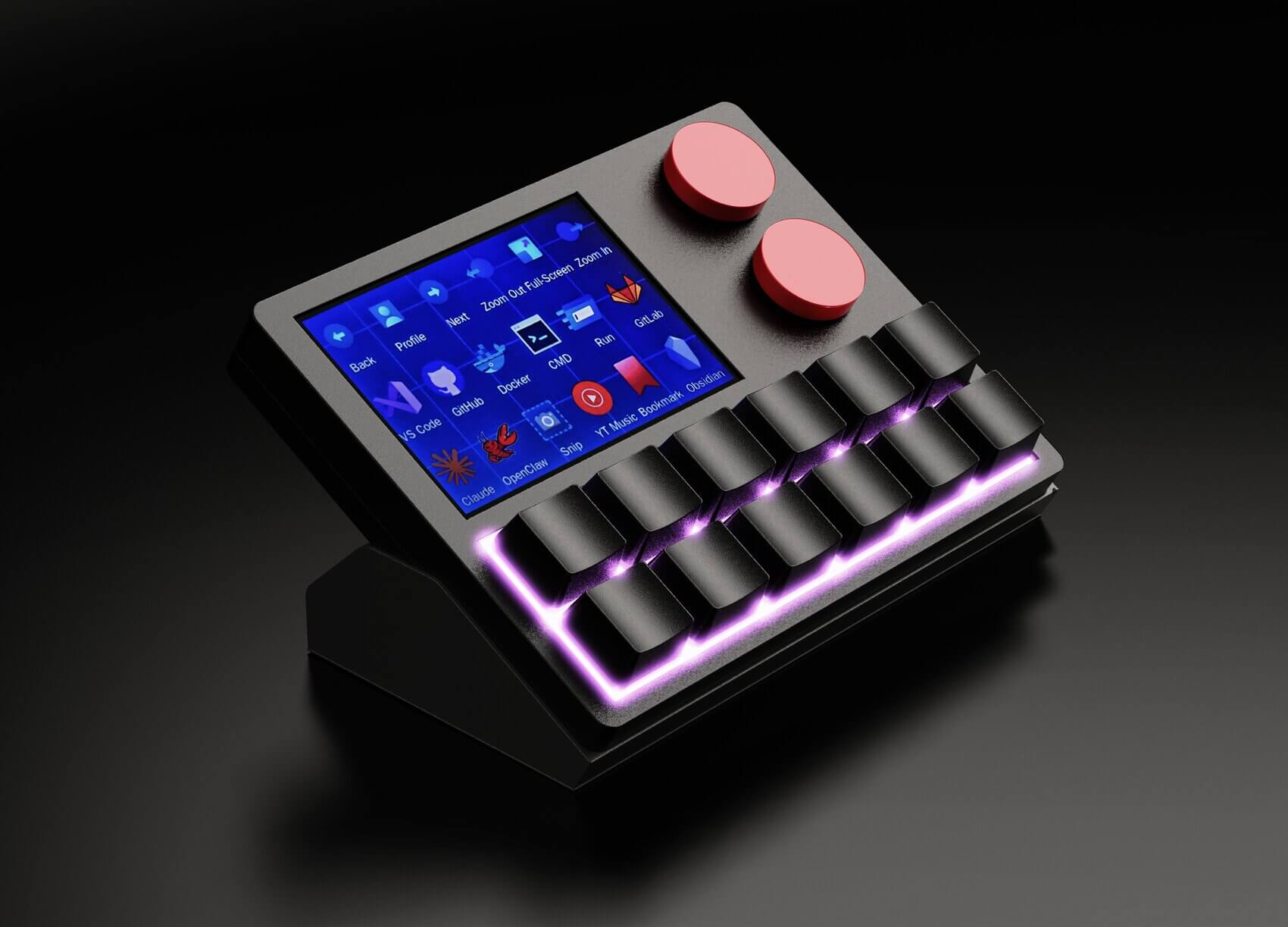
A programmable keypad is a compact hardware controller that lets you assign custom actions to dedicated keys. Instead of pressing long keyboard shortcuts, digging through menus, or switching windows repeatedly, a programmable keypad puts your most-used actions directly under your hand. For PC users, this can mean faster editing, cleaner gaming controls, one-tap app launching, stream commands, media controls, screenshots, text snippets, developer commands, or system shortcuts.
NexMacro takes the idea further by combining the practicality of a programmable keypad pc setup with the feel of a programmable mechanical keypad. You get tactile keys for fast inputs, rotary knobs for smooth control, USB connectivity for a clean desk setup, RGB lighting for profile recognition, and a display that can show labels, icons, GIFs, live stats, and active modes.
Use NexMacro as a programmable shortcut keypad for everyday commands like copy, paste, undo, screenshots, app launchers, browser actions, meeting controls, and repeated work tasks.
A programmable macro keypad can trigger single actions or multi-step workflows. NexMacro is designed for macros, profiles, app shortcuts, media actions, and workflow-specific controls.
The large display helps you see active profiles, labels, icons, GIFs, and live system information so your programmable keypad feels easier to use across different apps.
Many shortcut devices are either too basic, too software-heavy, or too focused on one niche. NexMacro is built for users who want a physical control surface that still feels premium on the desk. It works as a programmable keypad for PC, a creative macro controller, a gaming shortcut pad, a streaming controller, and a productivity tool without looking like office equipment.
The 12-key layout gives you enough room for serious workflows without taking over your desk. The dual rotary knobs are useful for volume, timeline scrubbing, scrolling, zooming, brush size, brightness, or layered controls. The 3.55-inch display gives the device more context, helping you remember profiles, actions, modes, and system stats at a glance.
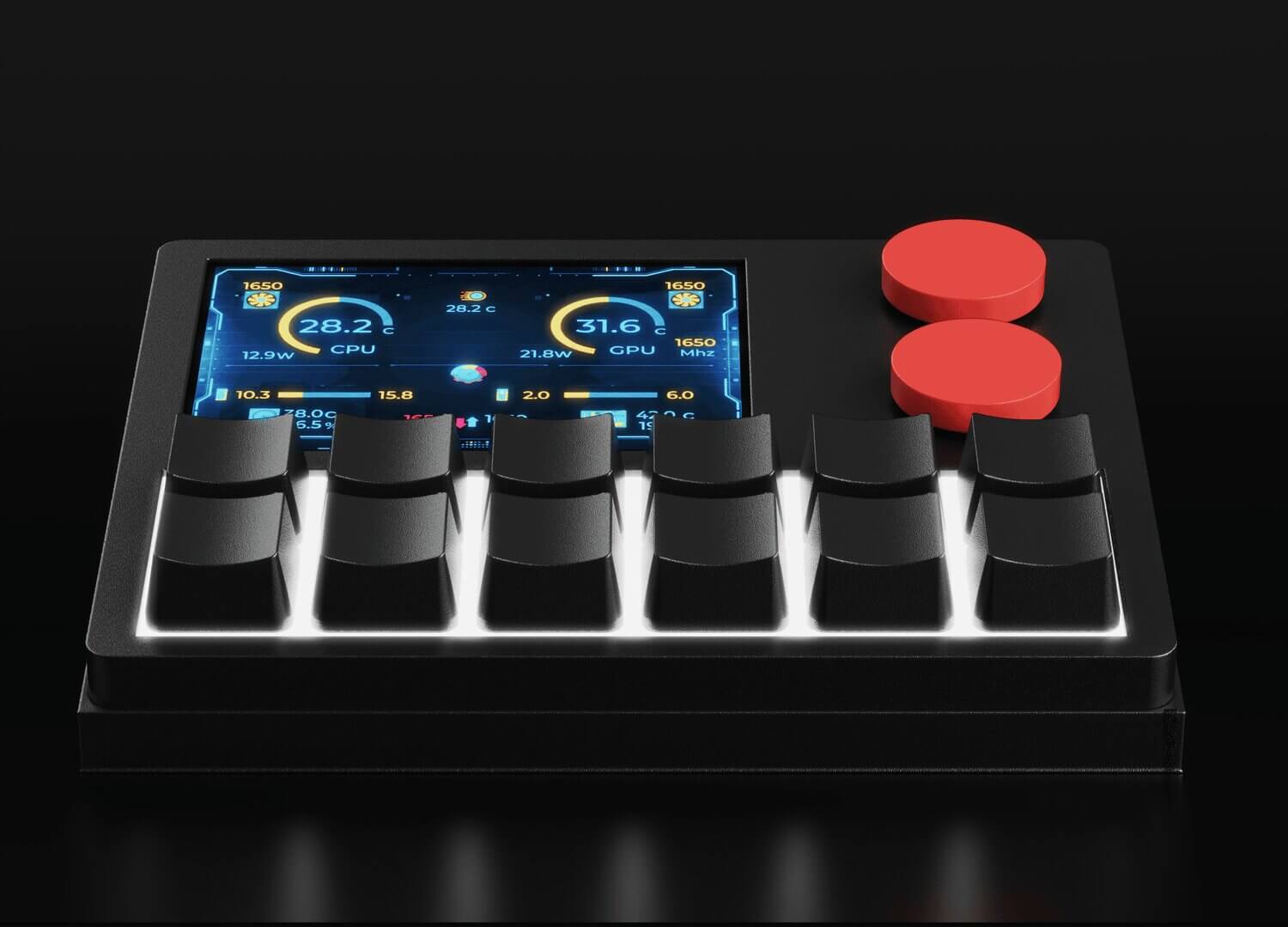
The best programmable macro keypad should not only work for one type of user. NexMacro is made to move between creative work, gaming, streaming, productivity, and development workflows using custom profiles.
A programmable keypad for PC is useful when you repeat the same shortcuts every day. NexMacro can keep Windows shortcuts, app launchers, text snippets, media actions, and productivity controls within reach.
Use NexMacro as a programmable gaming keypad for non-critical game actions, Discord controls, recording shortcuts, replay capture, stream tools, launchers, and profile-based setups.
A programmable macro keypad helps reduce repetitive inputs. NexMacro can trigger shortcuts, chained actions, creative commands, developer workflows, and custom profile layouts.
If you mainly want faster access to common commands, NexMacro works as a programmable shortcut keypad for editing, office work, browsing, meetings, and daily computer control.
A programmable USB keypad keeps the setup simple. NexMacro is designed as a physical desk controller that connects into your workflow without needing a full second keyboard.
Mechanical keys make shortcut control feel more satisfying and deliberate. NexMacro gives you a tactile control surface for workflows where normal keyboard shortcuts feel messy.
NexMacro is not just a small keyboard. It is a programmable control surface for people who use their computer heavily and want faster, cleaner access to the tools they touch every day.
Creators can use NexMacro for editing shortcuts, timeline movement, brush adjustments, tool switching, export actions, asset folders, screen recording, and audio control. The display helps label different creative modes, while the rotary knobs are useful for timeline scrubbing, zoom, volume, and fine adjustments.
If you edit videos, design graphics, manage content, or jump between creative apps, a programmable shortcut keypad can reduce the number of repeated keyboard combinations you use every session.
Developers can use a programmable macro keypad for repeated terminal commands, VS Code actions, Git commands, Docker workflows, browser testing, local server commands, window switching, and snippet pasting.
Instead of typing the same commands over and over, NexMacro gives you a dedicated place for your build, run, deploy, commit, screenshot, and app-switching actions.
Streamers can use NexMacro for OBS scenes, recording controls, mute toggles, stream markers, chat tools, music control, sound effects, and quick profile switching. The display makes it easier to recognise which scene or action is mapped to each mode.
If you want stream deck style control with a more tactile mechanical keypad feel, NexMacro gives you a strong middle ground.
Office and productivity users can use NexMacro for screenshots, clipboard actions, spreadsheets, meetings, browser tabs, email templates, document formatting, app opening, and media control.
A programmable keypad pc setup is especially useful if your work involves repeated commands but you do not want to memorise endless keyboard shortcuts.
When people search for the best programmable macro keypad, they are usually looking for more than just extra buttons. They want a device that feels useful every day, looks clean on the desk, and can adapt to different software.
Different users need different types of control. Some people want faster PC shortcuts, others want deeper macro workflows, gaming controls, creative editing shortcuts, or a compact USB desk controller. NexMacro is designed to bring those use cases into one clean programmable keypad with mechanical keys, rotary knobs, custom profiles, RGB lighting, and a large display.
| Workflow | Best For | Why NexMacro Works |
|---|---|---|
| Fast PC shortcuts | Screenshots, copy and paste, browser actions, app launching, meeting controls, media shortcuts, and everyday computer tasks. | NexMacro works as a programmable keypad for PC users who want common actions available from dedicated keys instead of relying on long keyboard shortcuts. |
| Macro workflows | Repeated actions, shortcut chains, app commands, text snippets, creative commands, developer tasks, and multi-step workflow controls. | NexMacro works as a programmable macro keypad with 12 mechanical keys, custom profiles, display feedback, and rotary controls for more flexible setups. |
| Gaming control | Discord mute, recording shortcuts, OBS controls, stream actions, clip capture, music control, game launchers, and profile-based layouts. | NexMacro can be used as a programmable gaming keypad for extra controls while keeping your main keyboard free for movement and gameplay. |
| Creative editing | Timeline movement, tool switching, zooming, brush size control, export actions, screen recording, volume control, and repeated editing shortcuts. | The dual rotary knobs and display make NexMacro useful for creators who want tactile shortcut control with clearer visual feedback. |
| Mechanical key feel | A more physical, responsive, and satisfying way to trigger shortcuts compared with clicking software buttons or using a flat touchscreen controller. | NexMacro gives users the feel of a programmable mechanical keypad while still offering modern visual features like RGB, icons, profiles, and a display. |
| Compact USB control | Adding a small control device to your setup without needing a second full keyboard or a bulky command deck. | NexMacro is a compact programmable USB keypad style controller made for clean desk setups, fast workflows, and daily computer control. |
These questions help the page rank for informational searches while guiding people toward NexMacro as the product answer.
A programmable keypad is a compact input device that lets you assign custom shortcuts, macros, app actions, text snippets, media controls, and workflow commands to dedicated keys. It gives you faster access to repeated actions without needing to remember every keyboard shortcut.
The best programmable keypad for PC depends on your workflow. For a compact all-round option, NexMacro is designed for PC users who want mechanical keys, shortcut control, macro profiles, USB connectivity, dual rotary knobs, RGB lighting, and a large 3.55-inch display for labels, profiles, and live system stats.
Yes. NexMacro can be used as a programmable macro keypad for shortcuts, workflow commands, app actions, stream controls, developer commands, editing tasks, and productivity actions. It is designed to support different profiles so one device can work across multiple workflows.
Yes. NexMacro can be used as a programmable gaming keypad for Discord controls, recording shortcuts, launchers, stream actions, media control, and game-specific profile layouts. It is best used for extra controls and workflow actions rather than replacing a full gaming keyboard.
A macro pad usually focuses on triggering macros or hotkeys. A programmable keypad can include macro actions but may also support profiles, app launching, media controls, rotary knobs, display feedback, lighting, and wider computer control. NexMacro combines both ideas in one device.
A programmable mechanical keypad gives you tactile feedback, faster muscle memory, and a more deliberate feel than clicking software buttons. NexMacro uses a hardware-focused design so your shortcuts feel physical, responsive, and easier to build into your daily workflow.
Yes. A programmable shortcut keypad can speed up everyday work by giving you one-tap access to screenshots, copy and paste, app launching, browser actions, meetings, spreadsheets, text snippets, editing commands, and media controls.
NexMacro is designed as a dedicated desk controller for computer workflows. It works as a programmable USB-style keypad for users who want a compact physical shortcut device instead of relying only on their main keyboard.
NexMacro brings shortcut control, macro actions, mechanical keys, dual rotary knobs, RGB lighting, profile switching, USB desk control, and a large display into one compact programmable keypad for PC and Mac users.